Our team at Raychat is always striving to make your communication with customers as simple and effective as possible. A seamless and outstanding support experience is no longer just a dream.
Better, faster, and more accurate responses for support agents
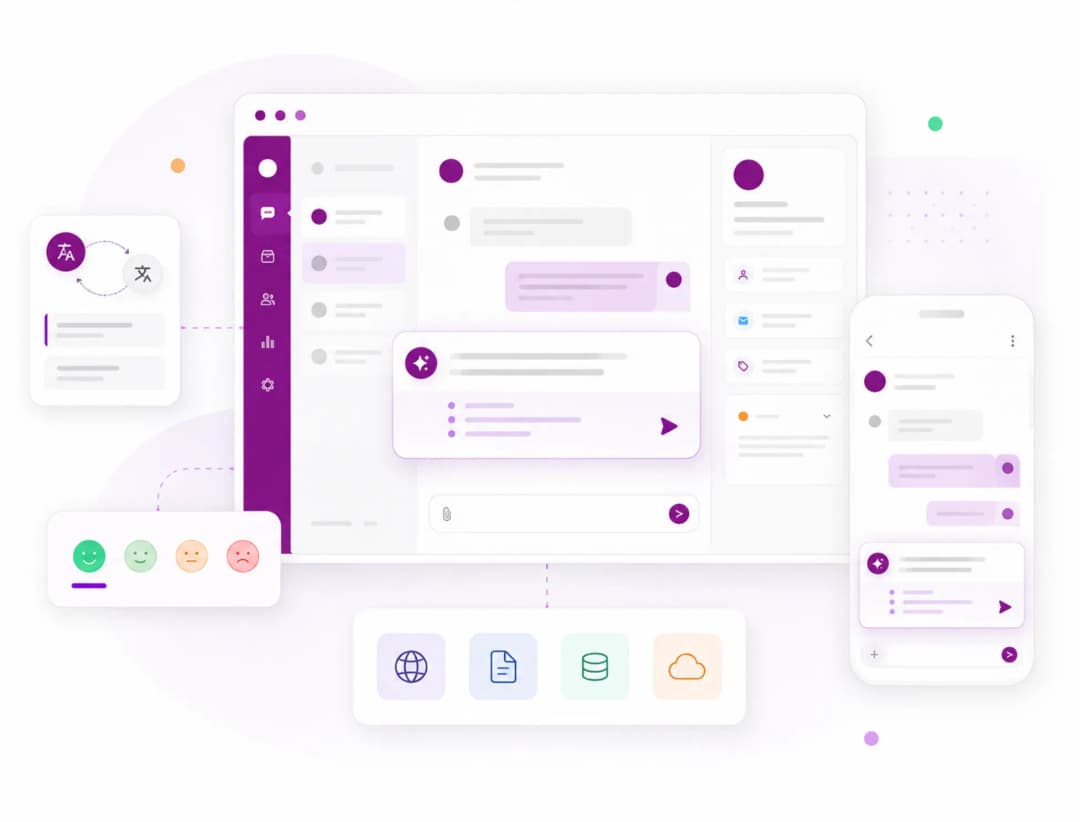
Answering repetitive questions or searching through documentation takes up a lot of support agents' time. Raychat's Smart Assistant (Copilot) works alongside the operator, analyzing website content, the knowledge base, training files, and conversation history to provide smart suggested replies in real time. Beyond suggesting responses, Copilot enables communication with customers in different languages through real-time message translation, and analyzes customer sentiment to identify tone and emotional state so agents can respond more accurately and effectively based on each conversation's context. The operator still retains full control over the final response, but no longer needs to manually search for information or type it from scratch. The result is faster response times, reduced human error, improved customer interaction quality, and a consistent experience across all conversations.
Suggest the right products to customers in the moment
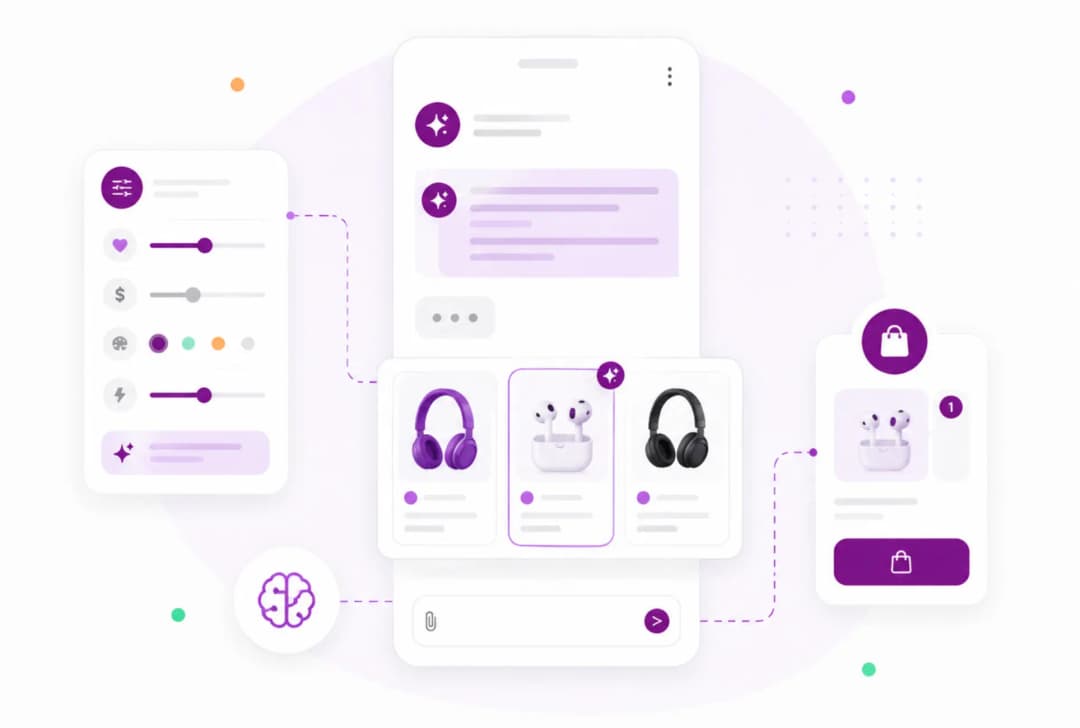
Raychat's AI chatbot doesn't just answer customer questions — it can also recommend related products during the conversation. Simply add your store's product information to Raychat, and the AI will suggest the most suitable products based on customer needs and questions. This feature shortens the purchase journey, reduces users' search time, and increases the likelihood of converting visitors into customers.
Better, faster, and more accurate responses for support agents
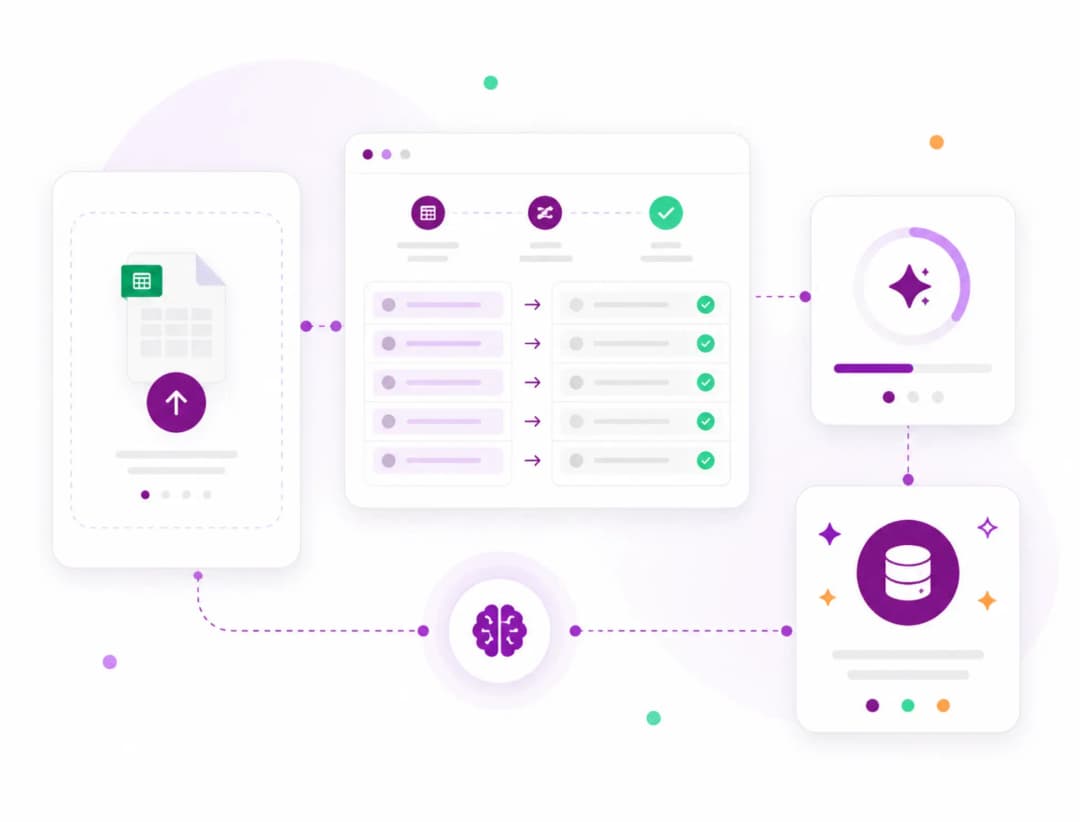
Train your AI in just a few minutes. If you already have a set of frequently asked questions and their answers, there's no need to enter them manually. With the CSV upload feature, you can transfer hundreds or even thousands of questions and answers to Raychat in just a few clicks. This feature speeds up chatbot setup and makes it possible to migrate data from previous systems or ready-made files without spending much time. Once uploaded, the AI uses this information to give customers more accurate answers.

Our intelligent chatbot enables you to respond to your customers around the clock. The system can quickly and accurately answer common questions, reducing the need for a constantly available support team. This feature ensures that even when your team is offline, customers still enjoy a positive and uninterrupted experience with your brand.

Raychat allows you to fully customize your chatbot settings. You can configure the chatbot's name, welcome message, tone, and response length to deliver a unique experience aligned with your brand. Additionally, custom instructions can be set so the chatbot operates exactly according to your business needs.
RayChat Smart Assistant: Your Support Companion

Summary in Seconds
Automatic summarization of long conversations for quick topic understanding
Sentiment Analysis
Detecting customer satisfaction, urgency, or dissatisfaction from conversation
Ready Answer Suggestions
Receiving intelligent and personalized responses for immediate sending
In Raychat's input settings section, you have several advanced features to customize how your chatbot responds. These allow you to leverage various sources to improve the quality of user interactions. The features include:

By uploading text files such as PDFs, documents, or databases, you can train the AI chatbot to provide answers and guidance based on the content of those files. This feature allows your chatbot to respond to user questions precisely according to the specified file content.

You can enter a specific link and allow Raychat to read the information on that page and use it to answer customer questions. This method is ideal for leveraging online resources such as web pages, articles, and support pages.

You can provide a sitemap link and allow Raychat to read the information available across your site and use it to respond to customer questions. This method is ideal for leveraging online resources such as web pages, articles, and support pages.
By providing your website link, Raychat's crawler will automatically read all available information on the site and use it to answer user questions. This feature is especially useful for websites that require fast and accurate responses to customer inquiries.
These input settings allow you to fully sync your chatbot with your information sources and provide an intelligent, effective experience for your users.
عملکرد چتبات هوش مصنوعی را دقیقتر بررسی کنید:
In the near future, Raychat will be updated with new features including an AI chatbot assistant for conversation summarization, real-time message translation with same-language reply suggestions, process automation and customer order management, intelligent conversation handoff to operators, topic-based conversation categorization with detailed analytics and reporting, personalized conversations based on customer data, and much more. These features will help businesses fully automate their interactions and deliver a superior user experience.
With RayChat's multilingual widget, you can respond to customers worldwide alongside Persian online support chatbot as you expand your business. This feature helps you enter international markets with communications in various languages in the near future.